
An ElvUI Plugin that adds gradients, tailored profiles, and deep customization to World of Warcraft.
Tested and optimized for 16:9 displays across 1080p, 1440p, 4K, and Ultrawide. Featuring dedicated DPS, Tank, and Healer profiles, combat voice alerts, custom glows, dynamic nameplates, and 1-click addon setups.
Interface Showcase
Click any image to view full 4K in-game screenshots and layout details.
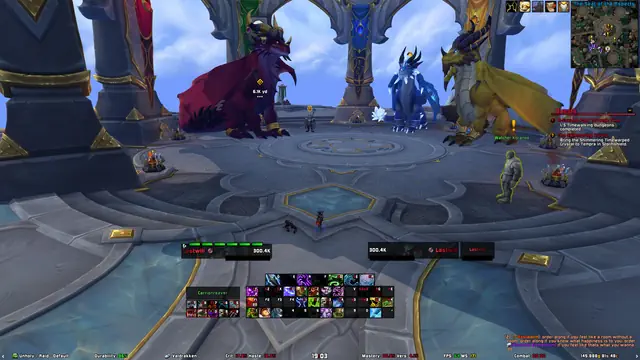
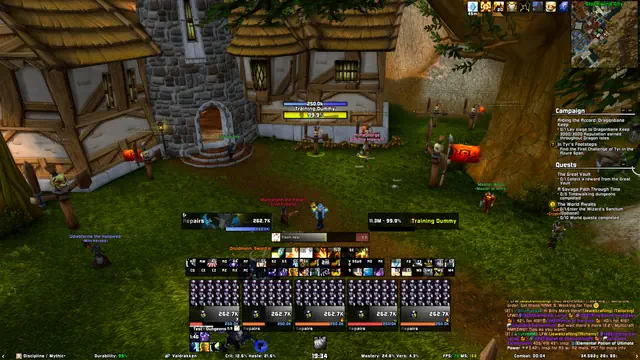
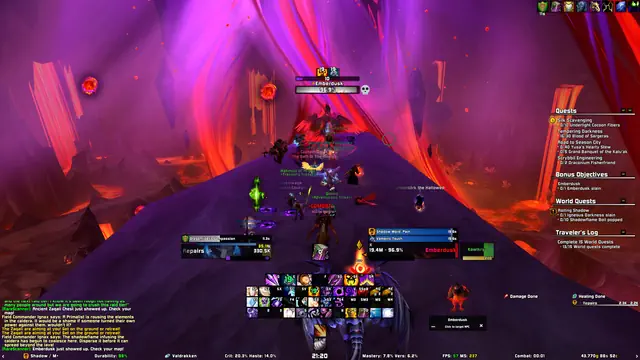

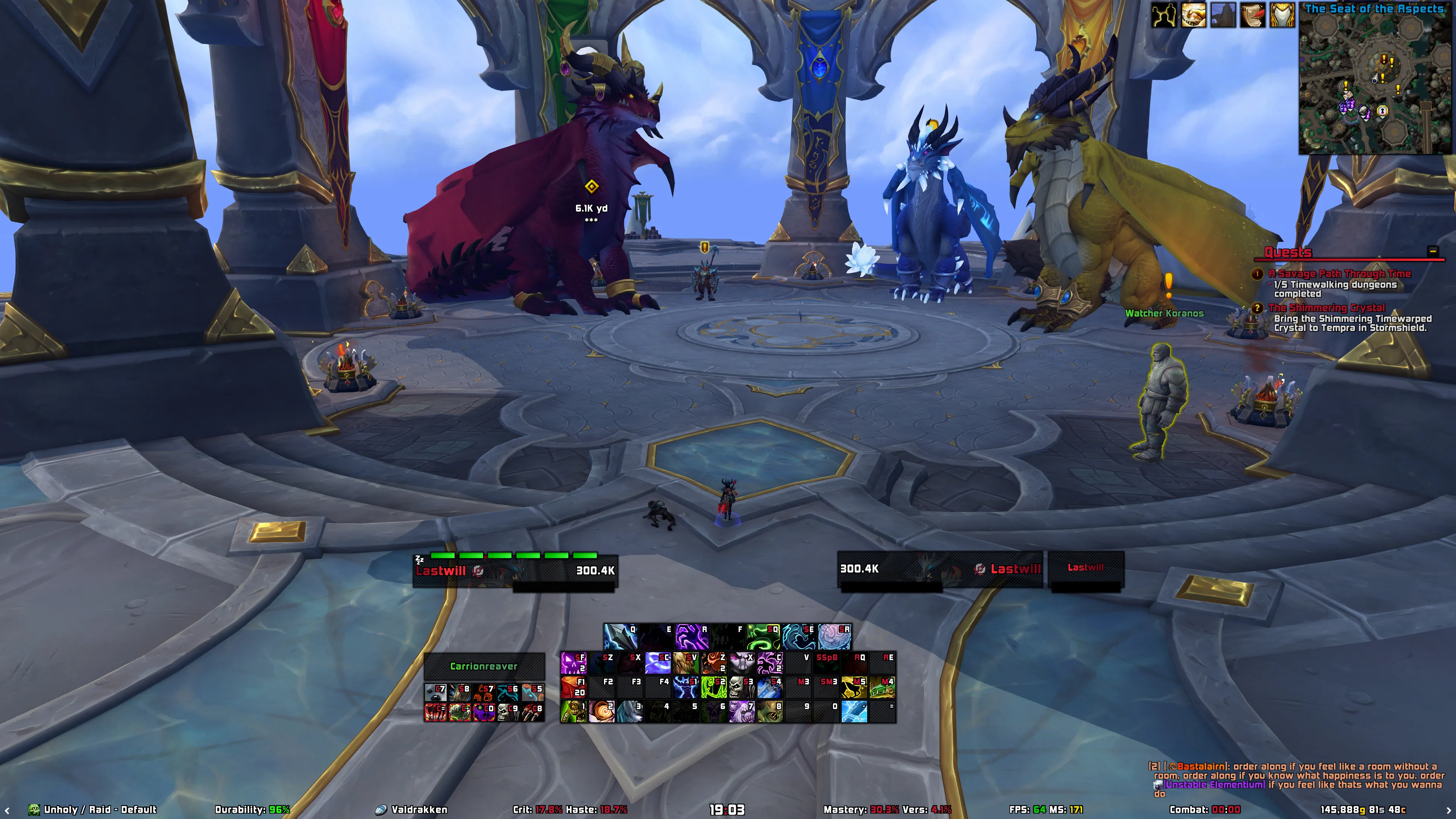
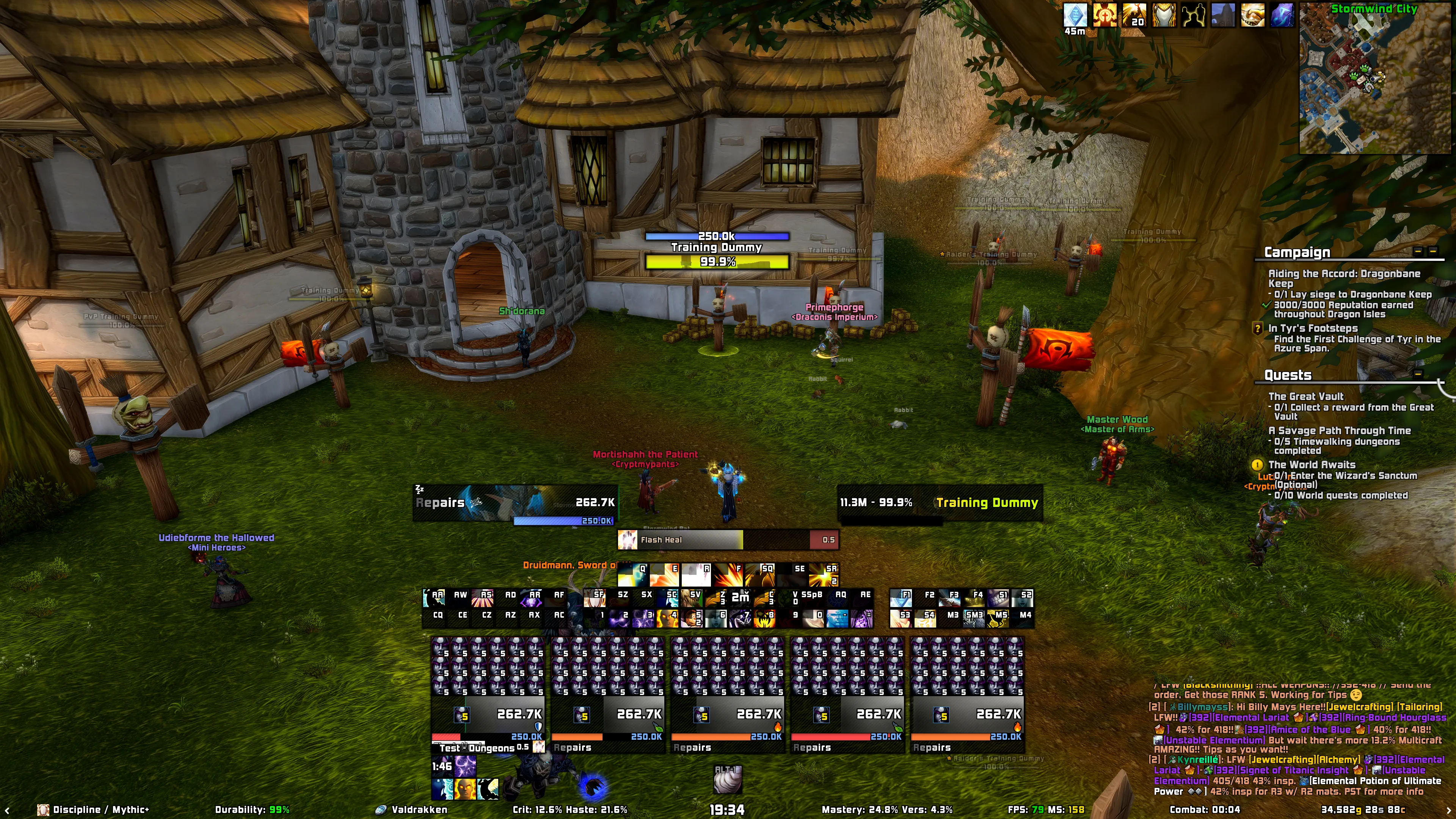
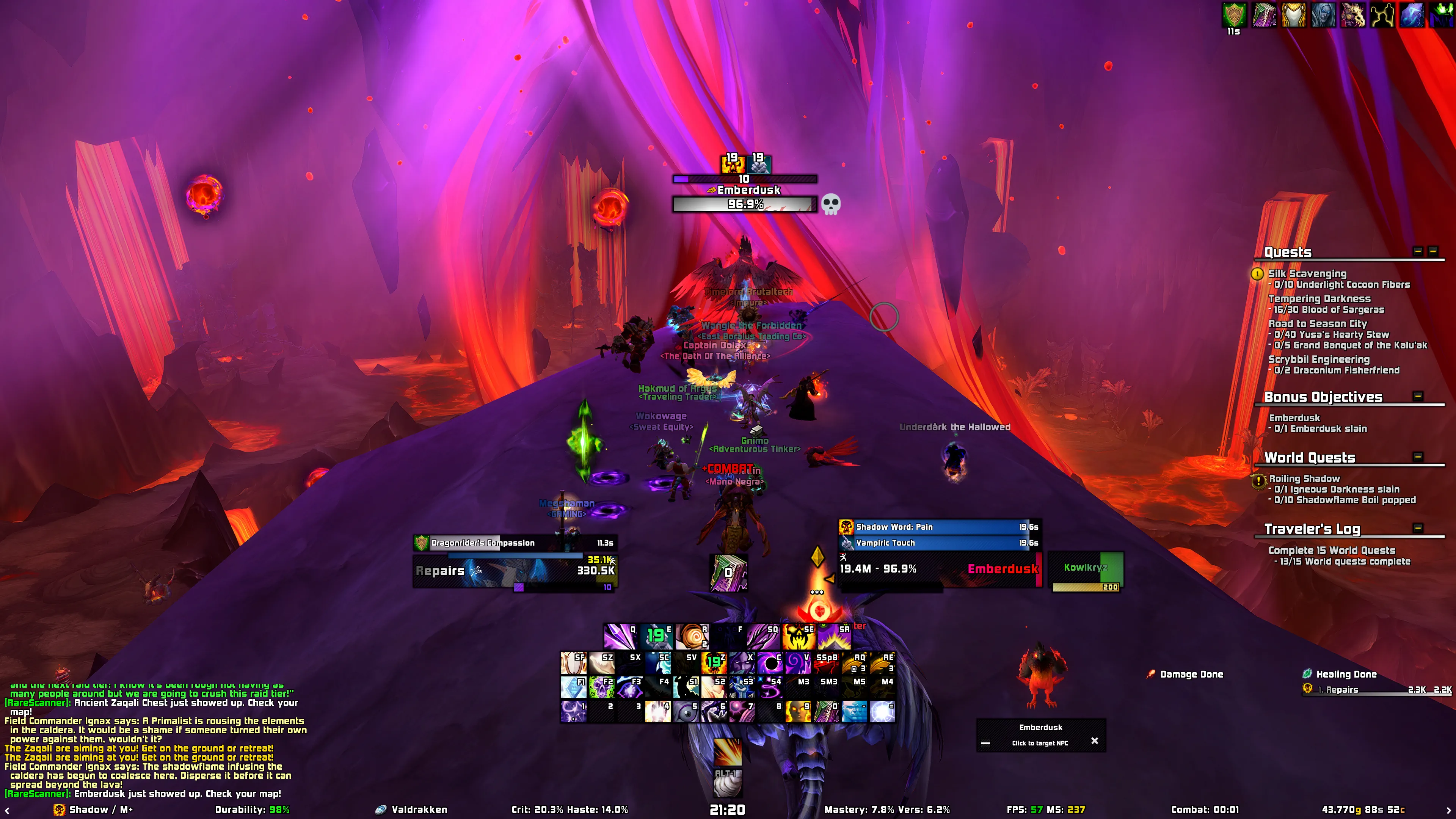
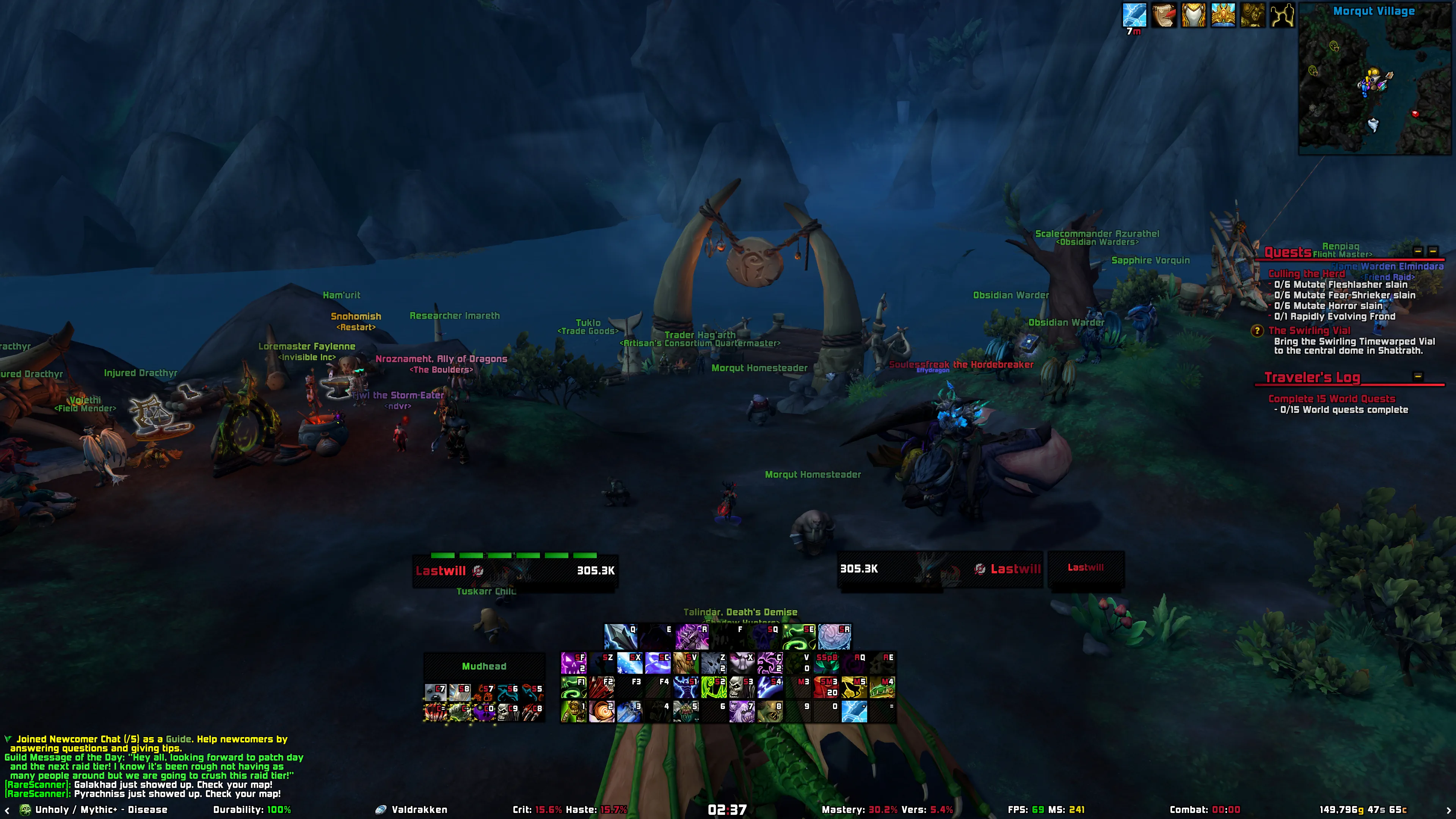
What Eltruism Delivers
Engineered for competitive raiding, Mythic+, leveling, and visual perfection. Every feature is modular and can be toggled to your exact preference.
Dual Tailored Profiles
Hand-crafted DPS/Tank and dedicated Healer profiles designed specifically for 16:9 displays and verified across 1080p, 1440p, 4K, and Ultrawide monitors. Pixel-perfect unitframes, actionbars, and raid frames with zero overlapping elements.
Signature Gradients
Silky smooth color gradients across Unitframes, Blizzard Raid Frames, Nameplates, and Aurabars. All color math is cached in Lua for maximum FPS even during heavy 40-player combat encounters.
TTS Cooldown Voice Alerts
Configurable Text-To-Speech voice announcements for offensive and defensive cooldowns, interrupt notifications, and low health/mana warnings without cluttering your screen with extra icons.
Dynamic Threat Nameplates
Intelligent nameplate height scaling, integrated power bar autopositioning, color-coded threat borders, and prominent debuff highlights for effortless mob grouping and crowd control.
Cursor Cast & Cooldown Rings
Rotating HUD rings anchored directly to your cursor indicating global cooldown (GCD), spell cast progress, and ability cooldown timers right where your eyes focus.
Custom Glow Engine
Completely replaces Blizzard's default spell procs with a deeply customizable glow engine across Action Bars, Pet Bar and more. Choose from six distinct styles: Pixel (marching borders with custom speed, thickness, and length), Autocast (orbiting particles with speed, scale, and direction controls), Border Pulse (sweeping multi-line border pulses), Bling (flash sweeps including Split, Shutter, and Slide), Proc, and Blizzard glows. Tailor class colors, individual Shaman totem elements, or 3-color animated gradients with live in-game previews.
Sleek Soft Shadows & UI Skins
Manually fine-tuned soft frame shadows, dark & light UI themes, custom class textures, role icons, and comprehensive restyling for character stats, inspect windows, and dialogs.
Transparent Unitframe Health
Easily toggle sleek transparent unitframe health backgrounds via the in-game
chat command /eltruism transparent for maximum battlefield and environmental
visibility.
Smart Waypoints & Travel ETA
Enhanced /way command support that calculates real-time travel
distance, estimated arrival time (ETA), waypoint naming, and navigation arrow tracking.
Instant Fast Loot & Wishlist
True instant auto-looting with zero loot window lag, movable LootText alerts, automated vendor junk scrap, and a personal loot wishlist tracker for raid and dungeon drops.
Chat Enhancements & Levels
Displays difficulty-colored player levels and character race/gender icons
right beside player names in chat, along with inline item icons inside chat links, smooth chat
fade when inactive, and the instant !keys shortcut to post your Mythic+ dungeon
keystone to group, guild, or raid.
Encounter, Boss & Duel Music
Elevate your audio experience with contextual soundtracks: triggers custom music playlists during combat encounters, custom boss encounter themes, dedicated 1v1 Duel music with in-game file preview and bespoke mail arrival sounds.
Unified Interrupt Castbars
Gradient castbars with dedicated interrupt and cast failure colors.
Intelligent Combat Performance
Engineered for high-intensity PvP and PvE. Toggle
performance mode via /eltruism performance to automatically disable non-essential
background frames and several other optimizations.
Dungeon Spec Icons & Rating
When browsing to join groups in Mythic+, view existing group members' specialization or class icons directly inside the listing. Also displays the group leader's Mythic+ rating (color-coded by score rarity) and realm region flags or text tags.
Quick Bag Utilities & Shortcuts
Integrated 1-click action buttons built directly into your bag containers for effortless access: quick poison application for Rogues, one-click Fishing skill access, profession crafting shortcuts, and instant auto-looting.
High-Definition Portrait Crests
Upgrades unitframe portraits with high-resolution classification crests for Rare, Rare Elite, and Boss targets (featuring new Rare 2 and Boss 1 & 2 textures). Seamlessly paired with 3D animated character models and smooth gradient health bars for instant target identification.
Multi-Expansion & 100% Modular
Actively maintained for Midnight, Mists of Pandaria Classic, Wrath of the
Lich King Titan, Burning Crusade Classic, Forever and Classic Era.
Every single module can be independently toggled on
or off via /eltruism.
Built-In Addon Profiles
The Eltruism installer automatically includes tailored profiles for your favorite companion addons.
Quick Installation
Get up and running in less than two minutes.
Install ElvUI
Eltruism is an ElvUI plugin. Make sure you have the latest version of ElvUI installed in your World of Warcraft AddOns folder.
Download ElvUI ↗Download Eltruism
Grab Eltruism through the CurseForge App, Wago App, or directly via GitHub Releases and extract it to your AddOns directory.
Run In-Game Installer
Log into World of Warcraft. The friendly setup guide will launch automatically,
or type /eltruism to select your profile and preferences.
Handy Chat Commands
/eltruism
Opens the full configuration window and setup installer
/eltruism color
Swaps between Dark and Light modes, quickly changing your Unitframes coloring
/eltruism gradient
Toggles Gradient, adding flair to your UI or removing it
/eltruism transparent
Quickly toggles unitframe transparent health mode
/eltruism performance
Applies performance CVars and trims heavy functions for maximum combat FPS
/eltruism encountercheck
Toggles the Encounter Check mode, which disables several features during Boss encounters
for improved performance
/eltruism autoadjust
Toggles Auto-adjusting your UI to fit the Borders
/way <x> <y> [title]
Creates a map waypoint with distance, ETA, and arrow navigation
!keys
Posts your current Mythic+ keystone in party, guild, or raid chat